
Printers have one job. Print stuff when people need it. Yet somehow, these machines turn rebellious the moment deadlines approach or important documents need printing. A printer that worked perfectly yesterday suddenly develops mysterious ailments that seem designed to cause maximum frustration. Most printer problems boil down to a few usual suspects and here’s How to Fix Common Printer Problems:
How to Fix Paper Jams
Nothing ruins a good day like paper shredded inside printer guts. These jams happen because printers basically throw tantrums over paper quality, humidity levels, or having too much food in their tray.
Power down completely before going in to fix it. Every access door needs opening to hunt for paper scraps. Torn pieces love hiding in rollers where they cause repeat offenses. Pull stuck paper straight out, not at weird angles that guarantee tearing.
The paper tray guides matter more than most people realize. Those plastic things should barely touch the paper edges. Loose guides let paper wander into places it shouldn’t go, tight guides crumple sheets before they reach the printing mechanism.
What to do When Print Quality Goes Wrong
Streaky, faded, or smeared prints usually mean cartridge problems. Inkjets get clogged when they sit around doing nothing. Laser printers develop attitude when toner runs low or drums get dirty.
Built-in cleaning cycles exist for good reason. Run them multiple times before assuming expensive repairs are needed. The printer menu or computer software both offer cleaning options that most people ignore until disasters strike.
Stubborn clogs need the rubbing alcohol treatment. Remove cartridges and clean those metal contacts with cotton swabs dipped in alcohol. Laser printer drums sometimes need wiping down when streaks won’t disappear after cleaning cycles.
Cartridge replacement becomes necessary when cleaning doesn’t restore quality. Those “low ink” warnings often show up weeks before actual printing problems develop, so don’t panic immediately.
 How to Fix Common Printer Problems of Connection
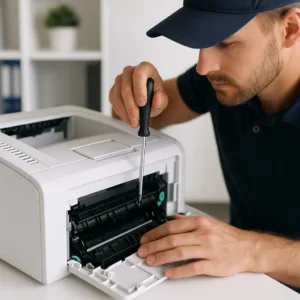 How to Fix Common Printer Problems of Connection
WiFi printers forget their network settings whenever routers get restarted or software updates happen. Wired connections develop loose cable problems that create random failures nobody can predict.
Basic checks save hours of frustration: power cords, USB cables, network lights. Restarting both printer and computer fixes more problems than anyone wants to admit. WiFi printers need manual reconnection through their control panels—they don’t automatically remember previous network settings like smartphones do.
Driver problems require nuclear solutions. Delete everything printer-related from the computer, then install fresh drivers downloaded directly from the manufacturer. Generic third-party drivers cause more problems than they solve.
How to fix Driver Drama
Operating system updates break printer drivers with depressing regularity. Manufacturers take their sweet time releasing compatible versions, leaving users stuck with non-functional printers.
Manufacturer websites have the latest drivers. Never trust old CDs or random download sites. Complete driver uninstallation before installing new versions prevents conflicts. Windows Device Manager reveals driver issues that create mysterious error messages.
Older printers sometimes work better with generic drivers than manufacturer-specific versions that haven’t been updated since Obama was president.
Preventing Future Common Printer Problems
Monthly maintenance prevents most catastrophic failures. Dust accumulation causes mechanical problems that seem random but follow predictable patterns.
Paper rollers need cleaning with slightly damp cloths to remove dust and paper debris. Spare cartridges should stay sealed until needed—exposure to air causes premature drying and clogging. Decent paper quality prevents fiber shedding that gums up internal mechanisms.
Regular use keeps printers healthy. Weekly printing prevents ink from drying in nozzles and keeps mechanical parts moving smoothly.
Surrender Conditions
Some problems require professional intervention or replacement decisions. Grinding mechanical noises, persistent error codes, or quality issues that survive cartridge replacement usually indicate hardware failures beyond DIY capabilities.
Cheap printers often cost more to repair than replace. Premium models justify service calls for complex problems that basic troubleshooting cannot resolve.