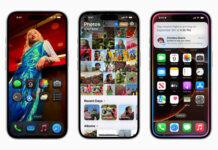
From portfolio to online presence, the need for a personal website is numerous. Needless to say, businesses without a website are missing out on potential customers. I mean, it is a no-brainer in this 21st century, where 81% of buyers check a business online before making a purchase or even visiting the store. Website development over the years has become easier with advancements that enhance convenience and accessibility, especially with the rise of “no-code” platforms. In this guide, I’ll walk you through a step-by-step process to create a website using just your mobile phone using WIX.
Where to Create Your Website
There are different applications or CMS (Content Management Systems) that make it possible to create a website on mobile, but none does it like Wix. It is the go-to for drag-and-drop customization, allowing easy and even free web development on desktop and mobile.
How: step by step with Wix
You could create your website using the Wix app or your preferred browser. I will be using the app; I recommend it.

Click the ‘Get started’ button

Sign up with either your email, Google account, or Facebook

Choose who the site is for. ‘Client or myself’
Choosing the specifications of your Website.

Speak with the AI assistant by clicking the ‘start chat’ button
It will create a site profile (you can still edit it)
Click ‘End chat & Continue’ when you’re satisfied
or

Setup by yourself without chat

Choose the kind of website you’re creating.

What apps would you like to add?

Answer the question, ‘What do you want to call your website?’

It would take you to a dashboard where you can continue editing
- Next, you need to set up your website and follow the steps; these depend on the kind of site you created (you can choose to upgrade to a paid model for all the full options)
- Edit your site (add pictures and design) as you see fit
Note: Some editing might require a desktop.
For more how-to guides, click here.
Creating a website needs fine-tuning and choosing what suits you best. The WIX app allows you to dictate the choice of color, design, and images. You should carefully create navigable arrangements to ensure the site has a great user interface and is SEO optimized, allowing your desired visitors to find you. especially for businesses. For a portfolio or a personal website, ease of navigation is a priority.