
Apple dropped iOS 18 and iPadOS 18 recently, and the updates caught people off guard. Most expected the usual minor tweaks with fancy names, but these releases pack actual substance. The changes dig deeper than surface-level polish. Some features could genuinely shift daily habits for millions of users.
Here are the new features in this release:
1. Home Screen Finally Breaks Free
The rigid grid layout that defined iPhones since 2007 is history. Icons on the Apple’s iOS 18 and iPadOS 18 can live wherever they want now; scattered around, bunched up in corners, or arranged in some abstract art pattern that makes sense only to the user. Interactive widgets respond to finger taps immediately, no more static decoration. The color-tinting feature matches app icons to wallpapers, creating cohesive themes that weren’t possible before.
2. Apple Intelligence: Local Processing for Apple’s iOS 18 and iPadOS 18
Here’s where things get interesting. While Google and Microsoft are busy shipping user data to the cloud for AI processing, Apple went the opposite direction. Most of the smart stuff happens right on the device, which means personal information stays put.
The practical stuff includes decent text summarization that doesn’t completely butcher the original meaning, image creation that’s surprisingly not terrible, and custom emoji generation (because apparently regular emojis weren’t enough). Siri got some brains too, it can actually understand context from what’s displayed on screen instead of pretending everything exists in a vacuum.
The privacy thing isn’t just marketing speak here. Data genuinely stays local for most operations.
3. Messages Got Better on Apple’s iOS 18 and iPadOS 18
Texting on Apple’s iOS 18 and iPadOS 18 just got less boring. Bold, italic, and underline formatting finally showed up (only took them forever), along with animation effects that range from subtle to completely obnoxious. Scheduled sending means no more 3 AM accidental texts to bosses.
But here’s the kicker, satellite messaging for emergencies. When cell towers go dark during disasters or remote adventures go sideways, messages can still get through. That’s a legitimately useful feature on the new Apple’s iOS 18 and iPadOS 18, not just a flashy demo feature.
4. App Locking: Because Sometimes Privacy Actually Matters
This one’s a game-changer for anyone sharing devices or just wanting some basic digital privacy. Individual apps can be locked behind Face ID or a passcode – no more worrying about someone scrolling through photos or reading private notes. Protected apps disappear entirely from home screens, and their notifications remain completely hidden. This should have existed years ago, basic digital privacy took far too long to arrive.
5. Control Center Improved on Apple’s iOS 18 and iPadOS 18
The old Control Center was basically Apple saying “here’s what we think controls should look like, deal with it.” Now it’s actually customizable on Apple’s iOS 18 and iPadOS 18 multiple pages, resizable tiles, third-party integration, and arrangements that make sense for individual workflows instead of Apple’s assumptions about what people need.
Developers can build their own Control Center widgets now, which should lead to some creative implementations beyond the usual suspects.
6. Photos App: Less Clutter, More Logic
Apple tore down the old Photos setup and rebuilt something that doesn’t require a computer science degree to navigate. Everything lives in one unified view with smart filtering by people, pets, places, or dates. Collections automatically group related shots from trips and events without requiring manual organization work.
The simplified grid layout makes browsing less of a chore and sharing doesn’t involve hunting through seventeen different menus. Kudos to Apple’s iOS 18 and iPadOS 18.
7. Notes App Grows Some Smarts
Audio recordings get transcribed automatically now, and Apple Intelligence can summarize long notes without losing important details. Smart Script improves handwriting clarity while preserving individual writing characteristics. Typed content integrates directly into handwritten documents without awkward formatting breaks. Small improvements that remove daily annoyances add up to significantly better user experience.
 8. Gaming Performance Finally Gets Priority
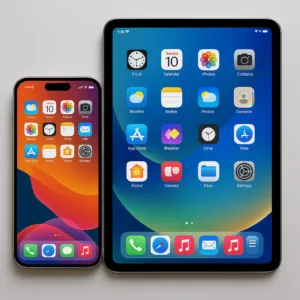 8. Gaming Performance Finally Gets Priority
Mobile gaming finally gets some respect with a dedicated mode that kills background processes, boosts frame rates, and reduces audio lag for wireless controllers and AirPods. Console-quality gaming on mobile has been possible for years, but the Apple’s iOS 18 and iPadOS 18 finally acknowledges that reality.
9. Accessibility Gets Serious Attention on Apple’s iOS 18 and iPadOS 18
Eye tracking controls, voice shortcuts, and haptic feedback for music expand what’s possible for users with different needs. iPadOS particularly benefits from better multitasking and external display support that starts approaching actual desktop functionality.
Bottom Line: More Substance Than Usual
These updates sidestep Apple’s typical pattern of minor tweaks dressed up as major innovations. The privacy-focused AI approach addresses real concerns about data security while delivering useful functionality. Long-overdue features like app locking and iPad Calculator show Apple actually listens to feedback sometimes.
Apple’s approach to customization marks a clear departure from their historical “one size fits all” mentality. Enhanced privacy controls reflect growing user awareness about data protection. These updates prepare Apple’s mobile ecosystem for emerging technologies and changing user expectations.
Initial user feedback indicates strong satisfaction with the practical improvements across both iPhone and iPad platforms.