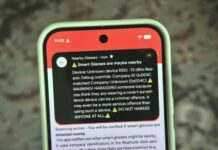
Google recently announced new security and privacy features for Android to increase its user-centric features. The company designed the Android 16 security features to protect calls, screen sharing, and messages. After the Google AI overview, users reached over 1.5 billion. These features aim to protect device access and system-level permissions.
Furthermore, Google has decided to leverage these features to protect users from falling for scams. The new addition will also keep users’ details secure if an attacker steals or takes over a device. Overall, the new features will enhance device-level security against various attacks.
Beyond supporting startups, Google appears focused on safeguarding its users. The company intends to block some actions related to a user’s potential scam while on a call with someone not in their contact list. Phone scammers often ask users to take actions like tapping on unsafe links. Beyond this act, they also lure users to download unknown apps.
Moving forward, the Android 16 security features allow for side-loading an app for the first time from a web browser or a messaging app. It also includes running a first check on other sources that Google has not verified. Consequently, this action will pave the way for granting accessibility permission to an app, indicating whether or not the scammer can take control of the gadget. Furthermore, the company will stop users from running Android 6 or later by disabling Google Play Protect. Essentially, this feature scans the device for harmful apps while they are on a call.
Android 16 Security Features: Google Set to Add Screen-Sharing Protection to the Package
To further prevent users from potential scams through screen-sharing, the company is also testing a new warning screen with select banks in the U.K. In addition, the device will notify users with a warning screen when users are running Android 11 or later and open a partner bank’s app while sharing a screen with an unknown number.
Messages protection
Following its launch in March, Google has enhanced protection against scams in Google Messages. These Android 16 security features entail on-device AI to alert users of a potential scam arising from their conversation. Moving forward, the company desires to leverage the tool to detect more types of fraud. This will include crypto, gift card, toll road, and other billing fees, financial impersonation, and technical support.
Moreover, Google will add verification keys to the Google Contacts app. This will help users authenticate that the person on the other end is the intended receiver. Verified keys symbolize an encrypted conversation with your contact on Google Messages. In addition, any attacker who gets hold of a phone number through a SIM swap attack and messages you through a new device will face a deadlock. In clear terms, the Google Contacts app will show the verification status as unverified. However, this, among other Android 16 security features, will be available in the summer.
Google Activates Theft-Protection Measures in Android 16 Security Features
Google released Identity Check protection to Pixel and Samsung devices with One UI 7 earlier this year. The feature requires biometric authentication to change critical phone settings, such as changing the device’s PIN or biometrics, disabling theft protection, or accessing Passkeys. Additionally, users can experience this update when they are not at one of the trusted locations they have registered. However, this is also one of the Android 16 security features that will be made available later this year.
Google has also pledged to add better protection for factory resets later this year. This development will restrict all functions on devices that are reset without authorization of the previous lock pattern/PIN or Google account credentials. Furthermore, this update essentially makes a stolen device uneasy to use.
Furthermore, you can also prevent an attacker from locking your device remotely by preventing unauthorized access. The new features will also allow Android 16 to hide one-time passwords if the device is not connected to Wi-Fi and hasn’t been unlocked recently. Quite frankly, Google’s resolve to prevent hackers from having a successful day is laudable. Recall that months ago, the company stopped hackers by fixing its vulnerability that hackers exploit to scale users on Google Chrome.
Further Updates
According to Google, Android has 16 security features, including the Play Protect live detection program. This program will help detect unsafe apps with hidden or changed icons. Nevertheless, the feature will be available subsequently for users running the Google Pixel 6+.
Finally, Google has also kicked off the idea of facilitating its Advanced Protection Mode, which protects public figures with new on-device features. Additionally, the company will debut a new Find My Hub to keep track of items, friends, and family.